
Preview before applying
Compare beauty directions quickly before choosing products or planning a physical look.
Beauty AI
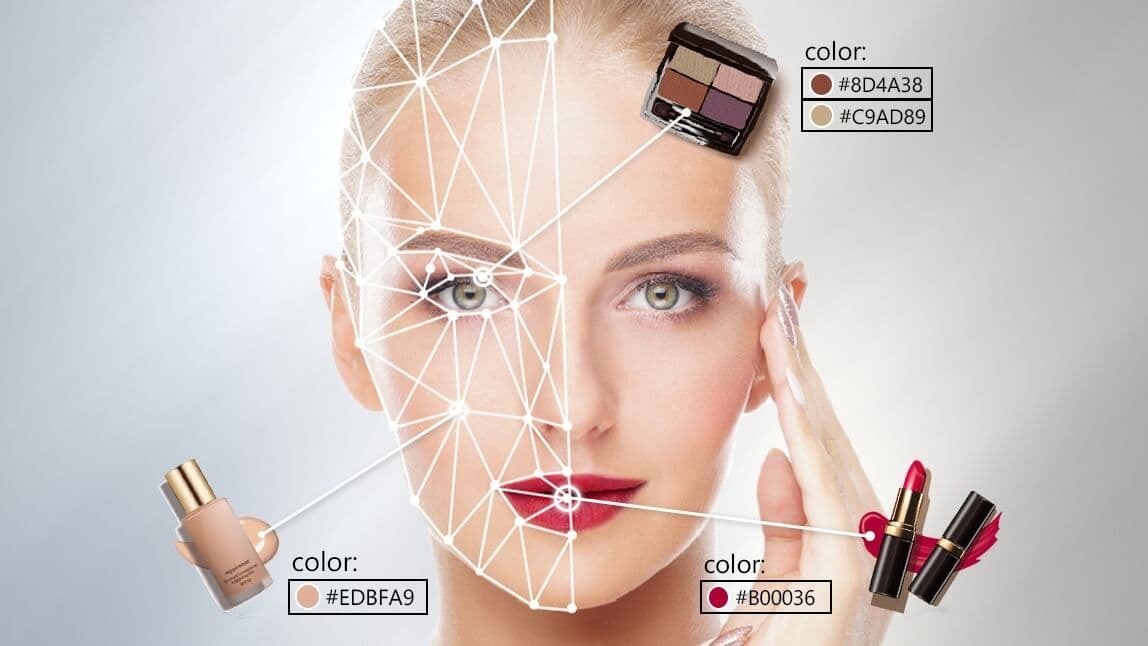
Preview beauty directions without physically applying every look. Sahera AI Makeup Virtual Try-On lets you explore lip, eye, complexion, and coordinated makeup styles for personal discovery, content planning, or beauty campaigns.
Uses 2 shared credits per try-on · 1 free starter credit
Why use it
Compare beauty directions quickly before choosing products or planning a physical look.
Visualize complete makeup combinations rather than judging isolated colors.
Develop concepts for tutorials, campaigns, product storytelling, and social content.
How it works
The workspace keeps setup simple while giving you clear checkpoints before anything is downloaded or published.
Use a well-lit, front-facing image with the face clearly visible and minimal obstruction.
Choose the style or reference that best matches your intended direction.
Review skin tone, lip edges, eye details, and product color before sharing.
AI output can contain artifacts or inaccuracies. Review results, protect private information, respect consent and intellectual-property rights, and use qualified professionals for high-stakes decisions.
Read acceptable useFrequently asked questions
Not necessarily. Cameras, screens, lighting, skin tone, and generation can affect color. Treat results as a preview rather than an exact product guarantee.
It is intended to visualize makeup, but generated details can vary. Compare the result with the original and review important facial features.
Use neutral, even lighting, a forward-facing pose, and an unobstructed face without strong filters.
Continue creating
Hair color preview
Explore natural and creative hair-color directions using your own photo. Compare possibilities before a salon appointment, content production, or personal style change while keeping the original image available for reference.
ExploreHair AI
Visualize hairstyle directions on your own portrait, including different silhouettes, bangs, lengths, volume, and wavy looks. Use the result to explore possibilities and communicate ideas more clearly.
ExplorePhoto enhancement
Sahera AI Photo Enhancer improves the visual quality of low-resolution, soft, or poorly balanced images. Refine clarity, lighting, sharpness, and color without learning a complicated editing suite.
ExploreCreate your Sahera AI account and use your free starter credit. Upgrade only when you need more capacity.
Open the tool